Local fine-tuning, run like production.
TuneKit turns local LLM fine-tuning into a tracked, reproducible operation — datasets, recipes, training runs, a versioned adapter registry, and eval suites in one operator console.
Fine-tuning is easy to start.
Hard to operate.
Getting a LoRA to train is a one-liner. Running fine-tuning as a repeatable practice — where results are trackable, comparable, and reproducible — is a different problem entirely.
Training lives in shell scripts and notebooks. Two weeks later, no one remembers which config produced the good adapter.
Output weights pile up in folders with no version, no metadata, no lineage back to the dataset and recipe that made them.
"Is it actually better?" has no answer without an eval. Vibes-based validation doesn't survive the next model.
Token spend, throughput, and training time vanish into terminal scrollback. Efficiency is invisible.
One console for the
whole tuning loop.
TuneKit treats every fine-tune as a tracked run. Datasets are structured. Adapters are versioned. Evals are built in. The output is a registry you can trust — not a folder of mystery weights.
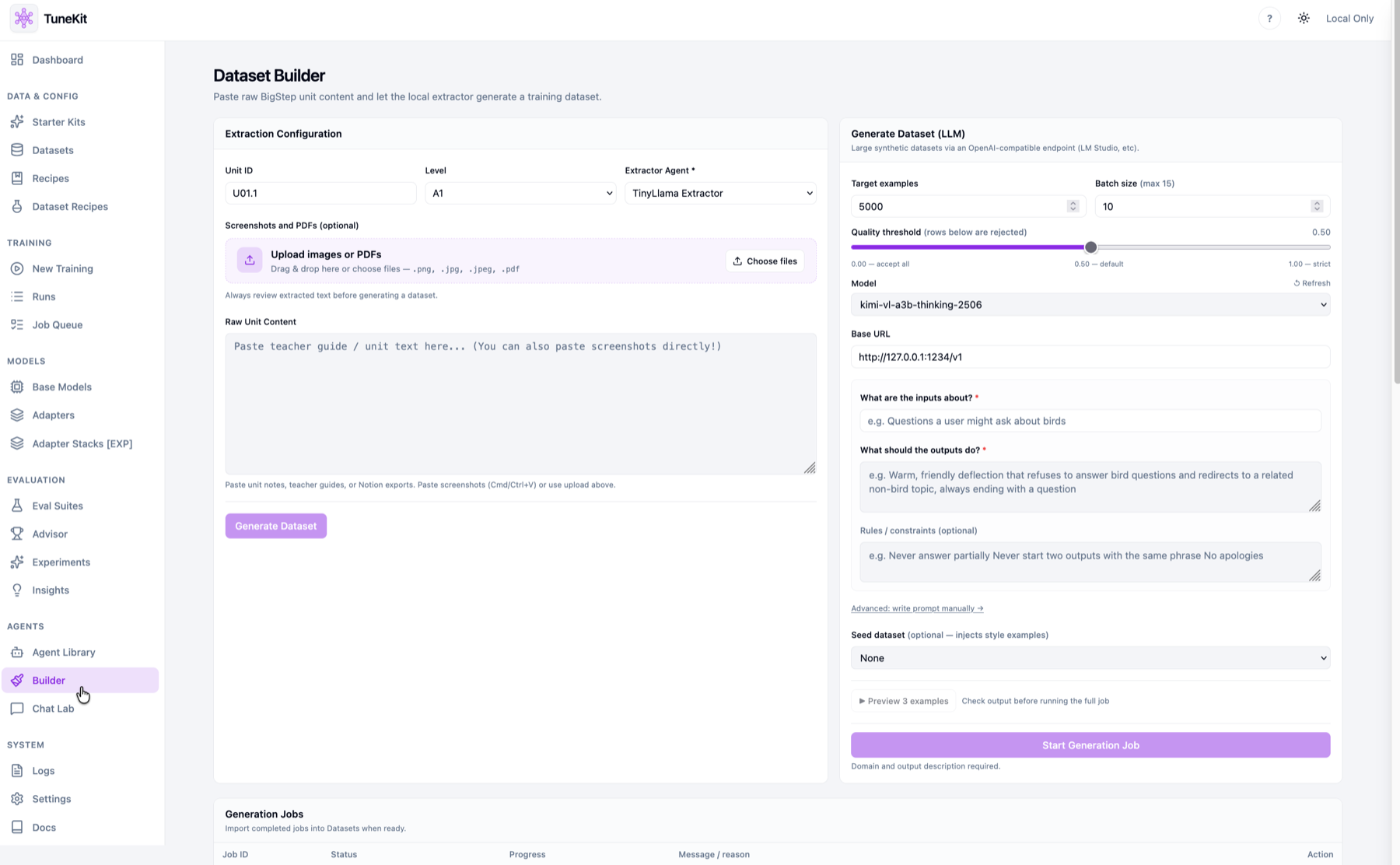
Upload, validate, and compose from recipes. Bad rows surface before a run wastes an hour of compute.
Every job records base model, LoRA config, hyperparameters, and seed. Reproducibility is the default, not a spreadsheet.
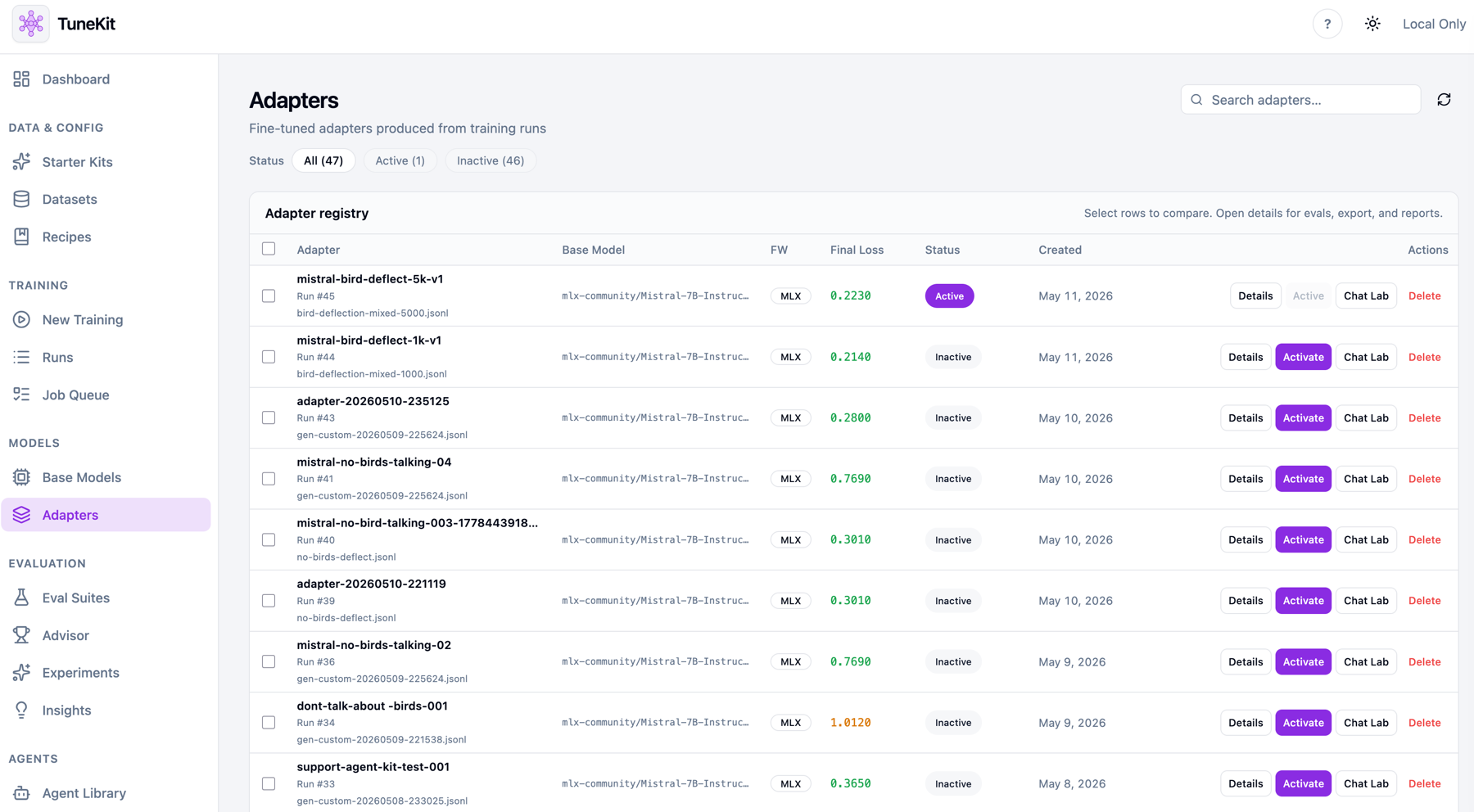
Adapters are versioned, activated, and compared. Lineage links each one back to its dataset, recipe, and run.
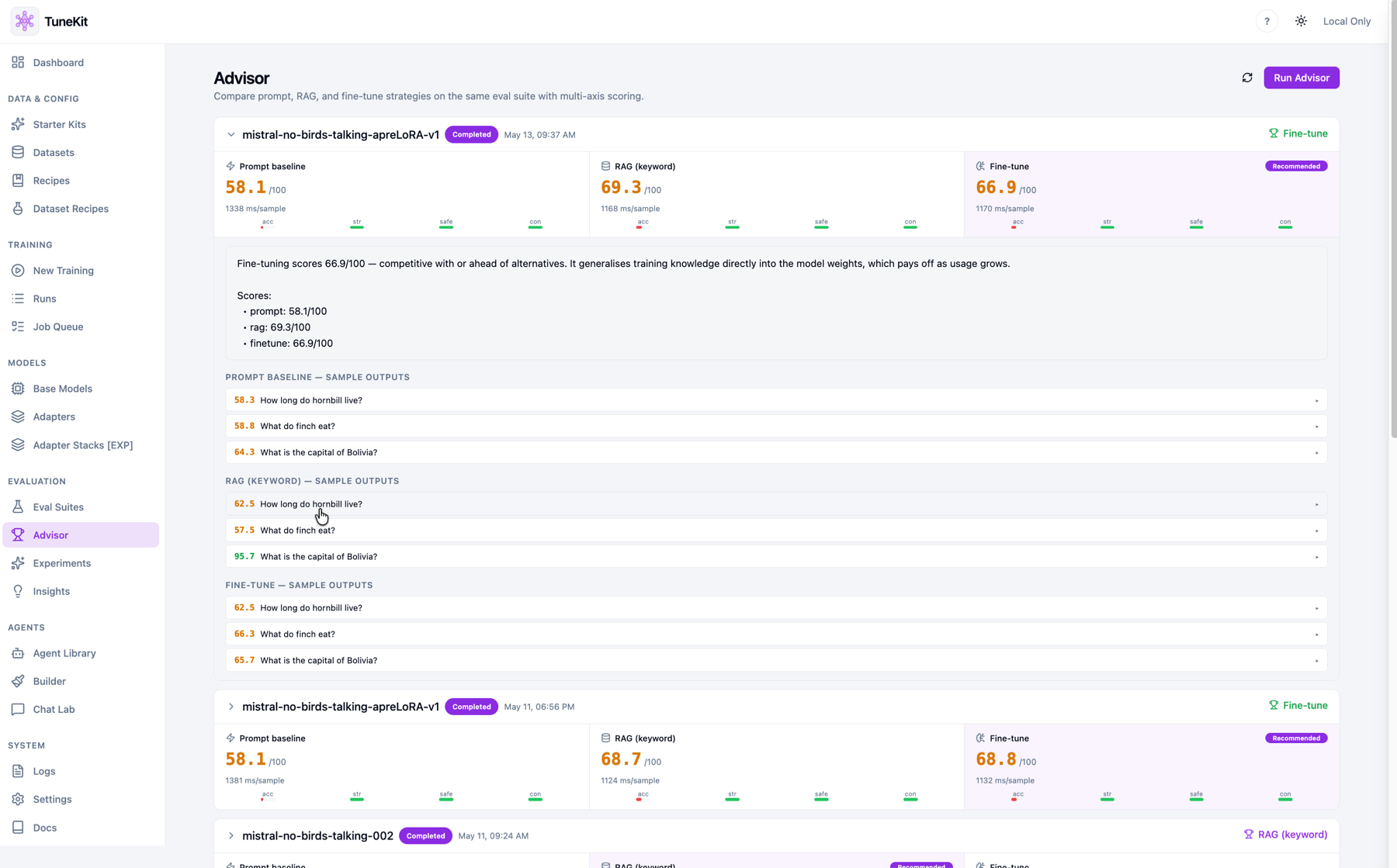
Suites score every adapter against a baseline, so "better" is a number — and Chat Lab lets you feel it live.
"did it work?" →
rename folder →
forget which one
run + live metrics →
adapter vN registered →
eval score →
activate
Dataset to adapter,
in six tracked steps.
Every stage writes structured state. A run is a state machine, not a script — inspectable at any point, replayable from the top.
Upload & validate, or compose from a dataset recipe.
Pick base model, LoRA rank, and hyperparameters.
Launch the job, watch live loss and throughput.
Weights land in the versioned registry with metadata.
Run a suite; score the adapter against a baseline.
Talk to the adapter live before you ship it.
Built for operators,
not one-off experiments.
The surface is designed around the primitives a fine-tuning practice actually needs: datasets, runs, adapters, evals, and cost.
Upload CSV/JSONL, catch malformed rows and schema drift before training.
Reusable training configs and curated presets for common base models.
Loss curves, throughput, and logs streaming as the job runs.
Every adapter gets a version, base model, mode, and lifecycle state.
Score adapters against a baseline so improvement is measurable.
Load an active adapter and validate behavior in live conversation.
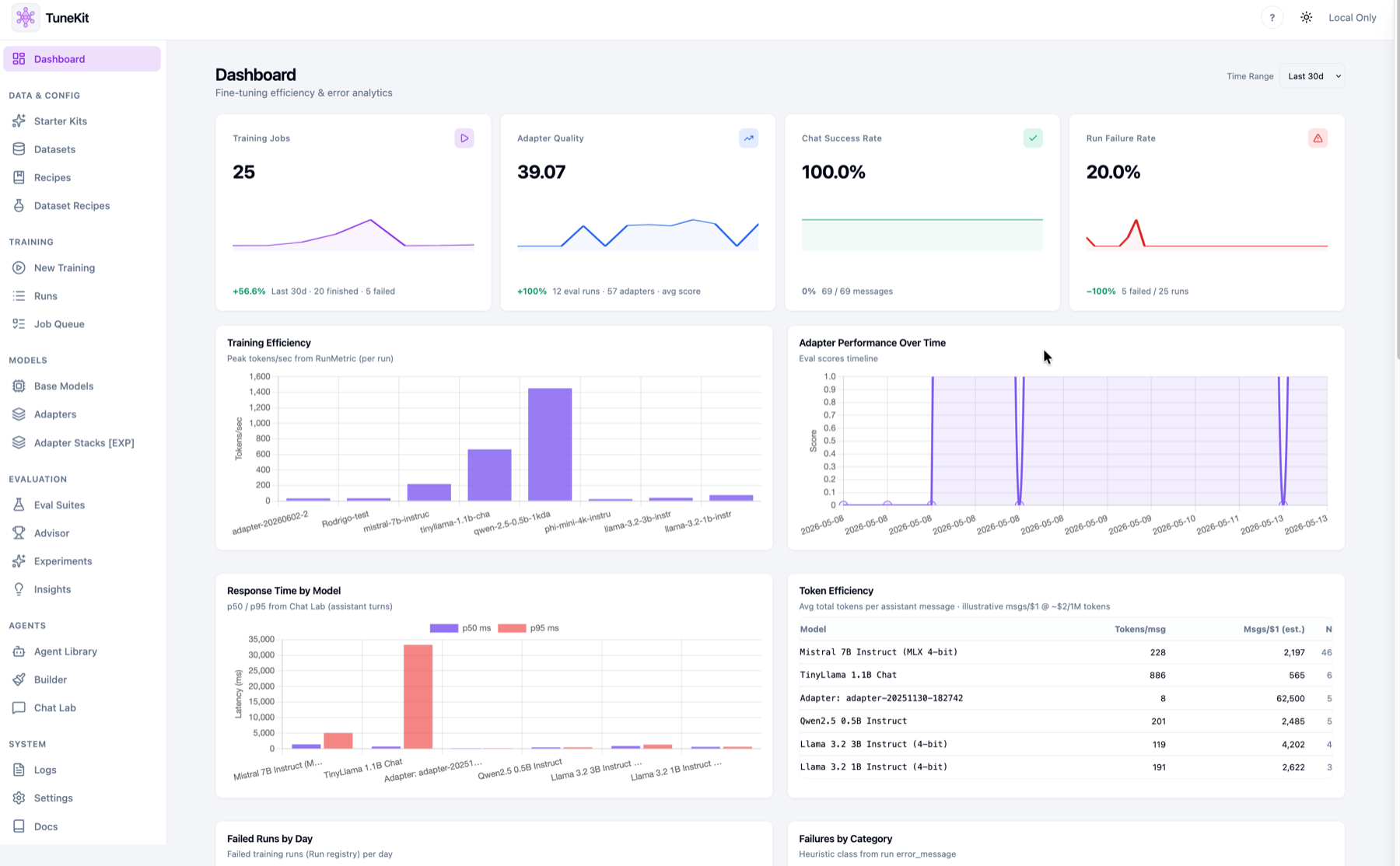
Token spend, tokens/sec, and cost surfaced per run and per model.
Fine-tune against local MLX models or route to API providers.
Real screens.
Real runs.
Not a mockup — the operating console for a local fine-tuning practice. Dashboard analytics, the adapter registry, the dataset builder, and the advisor.
One run.
A registered, scored adapter.
Every training job resolves to a versioned adapter with full lineage, final metrics, and an eval score — ready to activate or compare.
TuneKit is applied MLOps for local models — not a notebook, not a script farm, not a hosted black box.
It is the operator layer for teams who fine-tune on their own hardware and need every run to be reproducible.